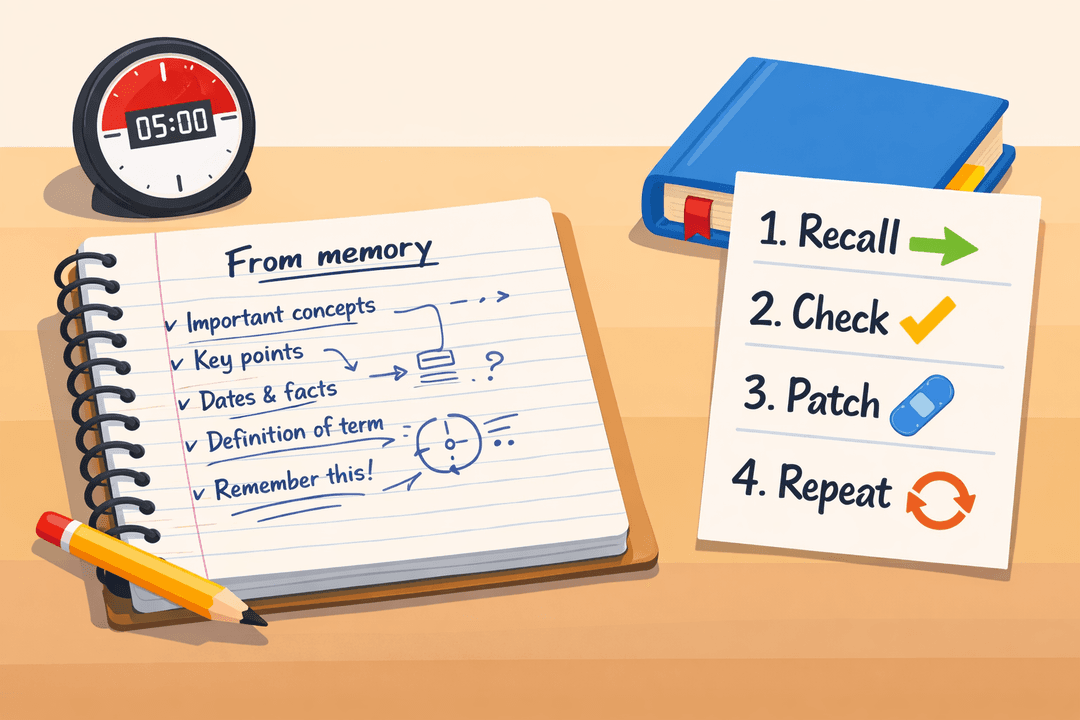
The Blurting Method: An Active Recall Study Technique (With Examples)
If you’ve ever finished a study session feeling confident—then blanked on the exam—you’ve met the difference between recognition and recall. Re-reading notes can feel productive because the page looks familiar. But familiarity isn’t the same as being able to produce the answer on your own.
The blurting method fixes that. It’s a fast, low-tech way to test yourself and expose the exact gaps you need to study next—without needing flashcards or a fancy setup.
What is the blurting method?
The blurting method is a study technique where you:
- Choose a topic (a chapter, lecture, or concept)
- Write down everything you can remember from memory (no notes)
- Check what you wrote against your source (notes/textbook)
- Fill the gaps and correct errors
- Repeat until your “from memory” version is accurate and complete
It’s basically active recall on paper. Instead of “Do I understand this?”, you ask “Can I produce this without help?”
Why blurting works (learning science in plain language)
Blurting works because it combines three powerful effects:
- Retrieval practice: Pulling information out of memory strengthens it more than re-reading.
- Desirable difficulty: It feels harder (because it is), but that effort improves learning.
- Metacognition (knowing what you know): You stop guessing and see your real weak spots.
When you blurt, you create a clear map:
- What you can recall quickly
- What you can recall only with hints
- What you can’t recall at all
- Where you’re confidently wrong (the most dangerous kind)
That map makes your next study session targeted instead of random.
The 10-minute blurting workflow (step-by-step)
Use this as a default starting routine. You can scale it up later.
Step 1: Pick a tight topic (2 minutes)
Avoid “Unit 3” or “Chapter 7” as your topic. Go smaller:
- “Photosynthesis: light-dependent reactions”
- “Derivatives: chain rule and common errors”
- “French: passé composé vs imparfait”
Smaller topics make it easier to diagnose gaps and avoid overwhelm.
Step 2: Blurt from memory (3–5 minutes)
Set a timer and write:
- Definitions in your own words
- Key steps in a process
- Formulas and what each part means
- Examples (even rough ones)
Rules:
- No peeking
- No rewriting notes
- Messy is fine (speed matters more than neatness)
Step 3: Check and mark gaps (2–3 minutes)
Open your notes/textbook and compare. Use a simple code:
- ✅ correct
- ❌ wrong
- ⬜ missing
Focus on why you missed it: forgot a step, mixed concepts, or didn’t understand it at all.
Step 4: Patch and retest (2–5 minutes)
Patch the gaps with short “fixes,” then re-blurt:
- Rewrite the missing step in one sentence
- Add a tiny example
- Write a quick “if/then” rule to prevent the error
You’re done when you can do a clean blurt with minimal ⬜/❌ marks.
The blurting cycle diagram
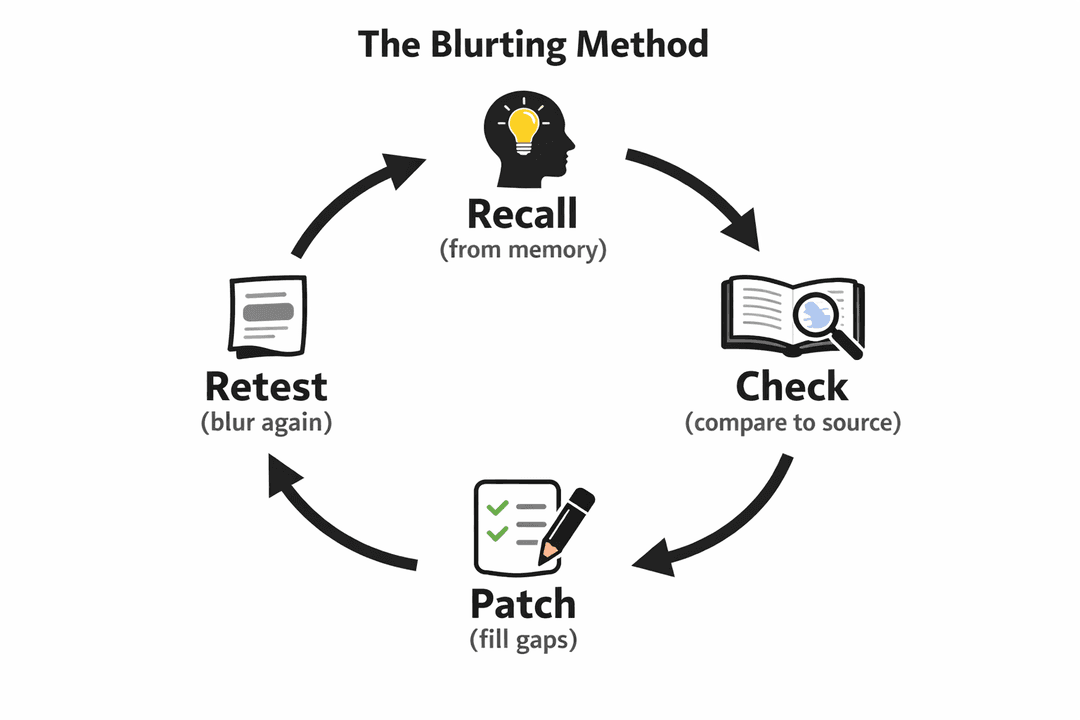
Keep the cycle short. The goal is multiple fast loops, not one long, exhausting session.
A blurting template you can reuse
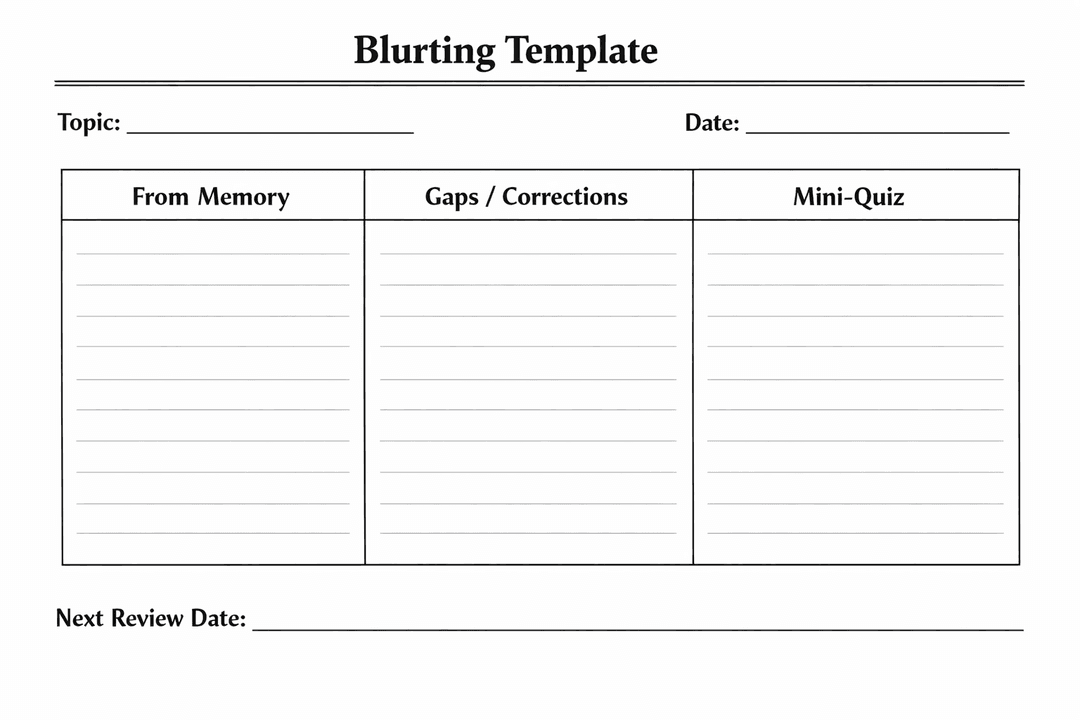
If you don’t want to print anything, you can copy this layout into a notebook:
| Section | What to write |
|---|---|
| From Memory | Everything you can recall (fast, messy) |
| Gaps / Corrections | Missing steps, corrected definitions, “watch out” notes |
| Mini-Quiz | 3–5 questions you should answer next time |
| Next Review Date | When you’ll re-blurt this topic |
How to use blurting for different subjects
Blurting isn’t one-size-fits-all. Here’s how to adapt it.
Math and physics (procedures + mistakes)
In math-heavy subjects, blurting should include:
- The why behind each step (one line)
- Common mistake traps (signs, units, domain restrictions)
- A worked example outline (not every detail)
Try this mini-structure:
- State the goal (“solve for x”, “find the derivative”)
- List the method (rules + order)
- Do one example from memory
- Check and fix the exact step you messed up
Biology and history (concept webs)
For content-rich subjects, aim for relationships, not just facts:
- Cause → effect chains
- Compare/contrast tables
- “Big idea” → details underneath
A good blurt looks like a mind map in words.
Languages (production practice)
Blurting for languages works best as output:
- Write 8–12 sentences using the grammar point
- Translate a short paragraph from memory
- Create a mini dialogue and then check it
Correction matters: don’t just notice errors—rewrite them correctly immediately.
Common blurting mistakes (and quick fixes)
Mistake 1: Blurt too broadly
If your topic is too big, your blurt turns into a vague brain dump.
Fix: shrink the topic until you can finish a blurt in 5 minutes.
Mistake 2: Turning blurting into re-reading
If you “check” every 10 seconds, you’ve turned active recall into passive review.
Fix: timer on, notes closed, finish the full blurt first.
Mistake 3: Only patching with highlights
Highlighting an error doesn’t prevent repeating it.
Fix: patch with a rule or example:
- Rule: “If the exponent is outside the parentheses, distribute it to every term.”
- Example: one 10-second practice problem
Mistake 4: Never retesting
If you don’t re-blurt, you don’t confirm the fix worked.
Fix: do a 60–90 second re-blurt immediately after patching.
How often should you blurt? (a simple schedule)
Blurting is most powerful when you revisit topics on a spaced schedule:
- Same day: 1 quick re-blurt after patching
- Next day: 3–5 minute blurt + check
- 3–4 days later: blurt + mini-quiz
- 1–2 weeks later: final blurt under timed conditions
If you’re studying for an exam, use blurting to decide what gets your limited time:
- Topics with lots of ⬜/❌ = high priority
- Topics with mostly ✅ = quick maintenance
A practical example (what blurting looks like)
Let’s say you’re studying “cellular respiration.” Your first blurt might include:
- A rough sequence (glycolysis → Krebs → ETC)
- A few key terms
- One or two mistakes (like where oxygen is used)
After checking, your patch could be:
- “Oxygen is the final electron acceptor in the electron transport chain.”
- A one-line purpose for each stage
- A mini-quiz:
- Where does glycolysis happen?
- What’s produced in the Krebs cycle?
- Why is oxygen essential?
Next session, you blurt again and answer your mini-quiz before checking.
When blurting is not the best tool
Blurting is great for retrieval, but some situations need different tools:
- You don’t understand the concept yet: learn it first (short video/reading), then blurt.
- You need skill fluency (e.g., calculus problems): blend blurting with lots of practice problems.
- You need writing performance (essays): use blurting for outlines, then practice timed writing.
Conclusion
The blurting method is a simple way to turn studying into something measurable. Instead of hoping you know the material, you test your memory, identify the exact gaps, and fix them in tight loops.
If you do one thing today, do a 5-minute blurt on one small topic—and let the gaps tell you what to study next.
Optional next step: turn your “Gaps / Corrections” into 5 mini-quiz questions and re-blurt them tomorrow.


